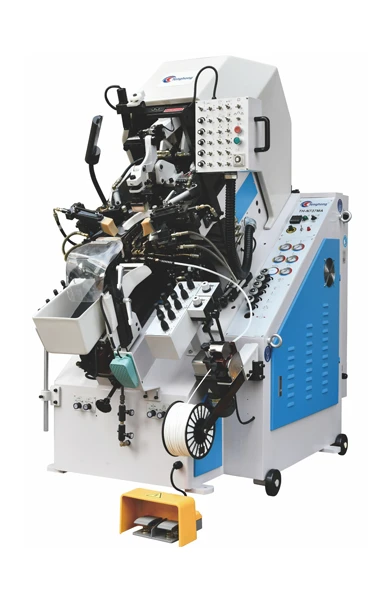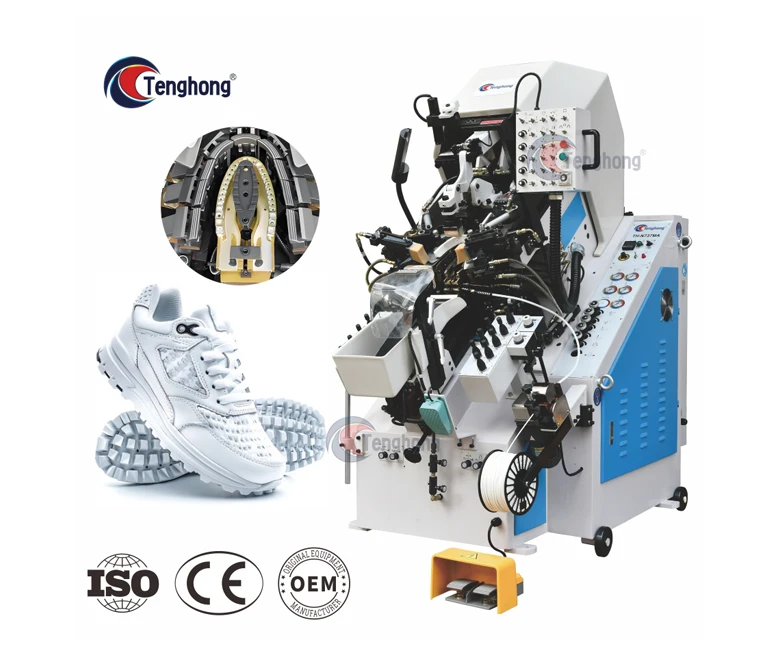
Precise upper tensioning and adhesive bonding in footwear manufacturing depend directly on the interaction between operator inputs and machine motion. In an automatic PLC toe lasting machine, the touchscreen Human-Machine Interface (HMI) serves as the primary bridge translating digital settings into physical hydraulic pressure, pincer travel, and wiper movement. If an interface drifts by even a few millimeters, the programmed coordinates sent to the logic controller become distorted, leading to material tearing, vamp wrinkling, or uneven glue margins.
Maintaining tight lasting tolerances requires an understanding of how control systems process operator inputs, why input coordinate drift degrades lasting quality, and how to calibrate the interface systematically. This guide examines the architectural differences between dedicated micro-computers and industrial PLCs, details the mechanical consequences of calibration errors, provides a standard calibration procedure, and outlines practical troubleshooting steps for plant technicians and production managers.
Micro-Computer vs. PLC Control: What Drives Today’s Lasting Machinery?
Footwear lasting equipment relies on electronic control platforms to synchronize multiple axes of motion, pneumatic clamps, and hydraulic wiping mechanisms. Modern machinery primarily employs either dedicated micro-computer controller boards or standardized industrial Programmable Logic Controllers (PLCs). Understanding these two architectures helps factories evaluate long-term maintenance costs and operational stability.
Dedicated Micro-Computer Boards
Proprietary micro-computer boards are engineered specifically for standardized lasting cycles. They integrate the processor, input/output (I/O) circuits, and firmware onto a centralized circuit board.
- Architecture: Closed-loop, proprietary hardware running fixed software routines.
- Component Availability: Sourced exclusively from the original machine builder; replacement modules can become difficult to procure as equipment ages.
- Environmental Sensitivity: Compact board layouts can be sensitive to voltage fluctuations, ambient heat, and workshop dust accumulation unless isolated within sealed electrical cabinets.
- Application Fit: Cost-effective for standard shoe styles running continuous, high-volume production with minimal recipe alterations.
Industrial PLC Systems
Standard industrial PLCs utilize modular designs where the Central Processing Unit (CPU), digital/analog I/O slices, and communication gateways operate independently across standard industrial backplanes.
- Architecture: Open-architecture, modular hardware configured with standardized programming standards (such as IEC 61131-3).
- Component Availability: Universal industrial hardware allows maintenance teams to source replacement power modules, relays, and communication chips through international distribution channels.
- Electrical Robustness: High resistance to electromagnetic interference (EMI) generated by nearby heavy-duty electric motors, hydraulic pumps, and heating elements.
- Application Fit: Ideal for modern production floors requiring rapid footwear style changes, extensive recipe memory, and integration with upstream line tracking.
| Evaluation Parameter | Dedicated Micro-Computer Boards | Industrial PLC Architecture |
| System Architecture | Integrated, proprietary single/dual board | Modular backplane with separated I/O cards |
| Electrical Noise Resistance | Moderate; sensitive to heavy line surges | High industrial-grade optical isolation |
| Recipe Storage Capacity | Limited pre-set memory banks | High-capacity flash storage for complex style profiles |
| Diagnostics & Fault Codes | Basic numeric alarm codes | Detailed graphical error mapping on HMI |
| Spare Part Sourcing | Restricted to original equipment builder | Commercially accessible industrial components |
| Maintenance Flexibility | Complete board swap often required | Card-level replacement without rewiring entire rack |
Why Touchscreen Calibration Matters: The Cost of Interface Drift
A touchscreen does not act merely as a status display; it directly sets the physical parameters executed by the controller. Whether an operator adjusts pincer pulling tension, wiper advancing position, or resting dwell time, the entered coordinate must register accurately. In high-speed shoe production, minor touchscreen drift alters these parameters without the operator’s immediate knowledge.
The progression from an interface coordinate error to a final rejected shoe follows a clear chain of mechanical cause and effect across control levels:
| Propagation Stage | System Level | Operational Manifestation & Root Mechanism |
| Stage 1: Input Error | Touchscreen (HMI) | Touchscreen Coordinate Drift: Mechanical vibration, thermal expansion, or digitizer wear causes the sensed contact point to deviate from the visual UI element. |
| Stage 2: Logic Distortion | Controller Memory | Distorted Register Value: The HMI passes inaccurate numeric setpoints (e.g., millimetric stroke positions or target pressures) into the PLC data blocks. |
| Stage 3: Actuator Command | Fluid Power & Servos | Incorrect Control Signals: The PLC outputs altered voltage or current commands to proportional hydraulic valves, pressure regulators, or servo drives. |
| Stage 4: Kinematic Deviation | Mechanical Tooling | Mechanical Misalignment: Pincers pull beyond safe elastic limits, stroke timing falls out of sequence, or wipers stop short of the insole featherline. |
| Stage 5: Quality Failure | Finished Shoe Upper | Production Scrap: Vamps tear under excessive tension, toe caps assemble asymmetrically, hollow bonds form along the margin, or adhesive bleeds onto the upper. |
When an uncalibrated screen causes an input target to shift:
- Asymmetric Vamp Tension: If left and right pincer tension parameters register unevenly, the upper pulls off-center, misaligning the shoe’s throat and tip lines.
- Material Rupture: Over-registering stroke distance on delicate synthetic or thin calf leathers causes pincers to exceed tensile thresholds, resulting in torn vamps.
- Improper Wiper Closure: If wiper travel distances are truncated by incorrect coordinate registration, the Teflon band fails to iron the margin flat against the insole, creating hollow spots and structural bonding failures.
- Adhesive Squeeze-Out: Incorrect downward pressure coordinates can compress the upper too aggressively against the insole perimeter, forcing hot-melt adhesive past the featherline onto visible upper surfaces.
Step-by-Step Protocol: Calibrating Touchscreens on Lasting Machinery
Touchscreen calibration aligns the screen’s physical digitizer matrix with the underlying display pixels. The following procedure outlines the standard operational sequence for recalibrating resistive and industrial touch interfaces on footwear equipment.
Step 1: Pre-Calibration Preparation and Safety Isolation
- Complete the active lasting cycle and clear all shoe lasts, uppers, and footwear components from the pincer table.
- Engage the machine’s mechanical safety lock or emergency-stop circuit before entering configuration menus to prevent unintended actuator movement.
- Clean the screen surface thoroughly using a lint-free microfiber cloth lightly dampened with an approved industrial screen cleaner. Remove all accumulated glue dust, release-agent overspray, and oil films, as surface debris creates false contact signals.
Step 2: Accessing System Diagnostics
- Navigate to the supervisor or technician access level via the main interface menu.
- Enter the designated access code to unlock protected configuration parameters.
- Select the Hardware Calibration or Touchscreen Alignment submenu. (On most industrial systems, this immediately suppresses operational control tasks to prioritize coordinate mapping.)
Step 3: Coordinate Registration
- When the calibration screen loads, a target (typically a crosshair or coordinate dot) appears in one quadrant of the screen.
- Use a dedicated plastic stylus—never a metal scribe, screwdriver, or fingernail—to press the exact center of the crosshair.
- Maintain steady, perpendicular pressure until the target confirms capture (typically by flashing, beeping, or jumping to the next quadrant).
- Repeat this registration sequentially across all target points (standard industrial setups use 4-point, 5-point, or 9-point calibration matrices).
Step 4: Verification and Data Writing
- Upon completing the final coordinate, the system presents a verification screen. Touch random points across the active display area to verify that the on-screen cursor aligns directly beneath the stylus tip.
- Confirm and save the calibration data. The controller writes these offset coordinates to non-volatile memory (EEPROM).
- Restart the HMI interface if prompted by the operating system to load the newly written coordinate tables.
Step 5: Test Cycle Execution
- Load a standard testing profile from memory.
- Run an un-loaded dry cycle (without leather) to observe the zero-point return of all mechanical pincers, wipers, and the main support column.
- Perform a single test piece using scrap material to verify that real-world mechanical response corresponds to the programmed inputs.
Troubleshooting Common PLC & Touchscreen Faults in Lasting Operations
Harsh footwear workshop conditions—characterized by high ambient temperatures, airborne dust, continuous mechanical vibration, and adhesive residues—can degrade interface accuracy over time. Use this checklist to identify and resolve common issues.
| Symptom | Probable Cause | Corrective Action |
| Consistent Coordinate Offset (Drift) | Temperature shifts, aging digitizer membrane, or mechanical vibration settling. | Execute a full multi-point recalibration. If drift returns daily, check ambient operating temperatures inside the electrical enclosure. |
| Dead Zones / Unresponsive Corners | Localized adhesive buildup under the bezel edge, or cracked internal ITO coating. | Clean around the inner bezel margin with a soft plastic scraper. If unresponsiveness persists, check the resistive layer for physical fractures. |
| Random / Ghost Touches | Electrical noise from unshielded servo lines, ground loops, or surface static charges. | Inspect cabinet earth grounding. Verify that high-voltage motor cables and low-voltage HMI communication cables are routed through separate wireways. |
| Display Active, Parameters Won’t Save | Communication drop between HMI and PLC, or write-protection flag engaged. | Check the RS-485/Ethernet communication cable between the screen and PLC rack. Verify supervisor write permissions in the software registry. |
| Touch Registers Off-Center Only Near Edges | Non-linear digitizer degradation or improper 4-point calibration. | Switch to an advanced 9-point calibration routine to linearize edge coordinates across the entire display matrix. |
What to Look for in a Modern Toe Lasting Machine Control System
Evaluating industrial footwear machinery requires assessing the service life and adaptability of its electronic control infrastructure. For long-term reliability, plant buyers and engineering teams should inspect specific hardware and software benchmarks when sourcing a PLC-controlled toe lasting machine.
| Evaluation Category | Benchmark Requirement | Production Impact |
| Panel Protection | Front IP65 rating with solvent-resistant membrane | Prevents ingress of adhesive fumes, dust, and cleaning thinners |
| Touch Technology | Heavy-duty 5-wire resistive or industrial PCAP | Ensures glove compatibility and resistance to surface scratching |
| Modular Architecture | Standard industrial PLC with optical signal isolation | Prevents electrical noise from servo drives corrupting analog signals |
| Recipe Memory | Storage for 50+ footwear style profiles | Enables rapid tool and mold changeovers without re-teaching positions |
| Diagnostic Layer | Real-time I/O status maps and time-stamped alarms | Reduces downtime by identifying faulty sensors or valves on screen |
1. Panel Construction and Environmental Protection
Footwear lasting environments generate continuous particulate matter and airborne chemical vapors from hot-melt cements. Touchscreens should carry a minimum front-panel rating of IP65, indicating complete protection against dust ingress and resistance to low-pressure fluid contact. The screen surface must resist common workshop solvents, such as cleaning alcohol and mild adhesive thinners.
2. Multi-Axis Parameter Programmability
A robust control system must provide granular adjustment over every mechanical sub-assembly. Operators should be able to fine-tune each pincer’s gripping timing, pull sequence, and release delay independently via the screen. Machines incorporating multi-style memory allow factories to switch lasts without resetting mechanical stops by hand, cutting downtime during model changeovers.
3. Integrated Diagnostic and Status Monitoring
High-tier machinery running modern PLC software provides real-time I/O monitoring screens. When a sensor fails or a valve sticks, the maintenance technician should not have to probe terminal blocks with a multimeter; the HMI should display the active state of every digital input, output coil, and hydraulic pressure feedback loop directly on screen.
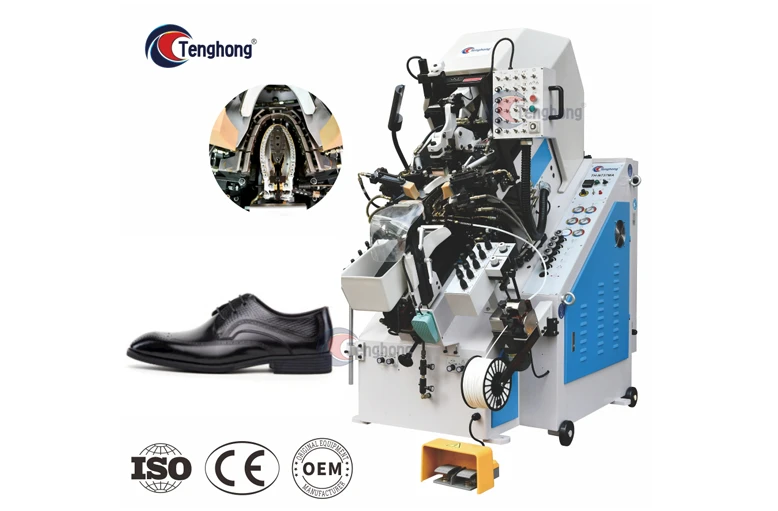
Factories seeking to modernize their lasting operations can explore the engineering configurations across the Tenghong toe lasting machine series to review how integrated control systems stabilize production throughput.
Key Takeaways
- Control Stability Dictates Quality: Touchscreen calibration is not cosmetic maintenance; it directly determines the positional and pressure values delivered to the machine’s hydraulic and servo actuators.
- Architecture Matters for Longevity: Standardized industrial PLC platforms offer higher electrical noise immunity and simpler spare-part replacement compared to closed, proprietary micro-computer boards.
- Drift Causes Material Failure: Input coordinate drift can shift mechanical wiper and pincer alignments, leading directly to torn shoe uppers, wrinkled toe caps, and glue overflow.
- Follow Structured Calibration: Always clean the screen surface and use a plastic stylus when executing 4-point or 9-point calibration routines. Never use metal tools that damage digitizer coatings.
- Isolate Electrical Noise: Ghost touches and intermittent coordinate jumps frequently point to missing cabinet grounds or improper cable shielding between high-voltage drives and the HMI.
Frequently Asked Questions
How often should the touchscreen on a toe lasting machine be calibrated?
Under continuous two-shift industrial operations, perform a quick verification weekly and a complete recalibration monthly. In addition, recalibrate immediately whenever operators report input lag, following significant workshop temperature swings between seasons, or after any electrical maintenance within the primary control cabinet.
Can a miscalibrated screen cause mechanical pincer or wiper damage?
Yes. If coordinate drift alters stroke limits or travel offsets, mechanical pincers can pull materials past their mechanical stops, or wipers can collide with over-elevated shoe lasts. This can result in blown hydraulic seals, bent mechanical linkages, or premature motor fatigue.
What is the difference between capacitive and resistive screens on shoe machinery?
Resistive screens operate on physical pressure, making them compatible with gloved hands—an important feature for lasting line workers handling hot uppers or adhesives. Capacitive screens rely on electrical conductivity, offering clearer visibility and higher scratch resistance, but they require conductive gloves or bare fingers and are more sensitive to surface contamination from conductive oils or moisture.
When should a factory upgrade from an old micro-computer board to a full PLC system?
An upgrade is warranted when replacement boards for the proprietary micro-computer become obsolete, when frequent electrical interference causes unexplained cycle freezes, or when production requires saving dozens of custom shoe style parameters that exceed the legacy controller’s memory capacity.